The Playerbay Buyer Protection guarantees that all trades are legitimate and keeps you safe from scammers. PlayerBay takes full responsibility for the entire buying and selling process in the marketplace. Buyers are fully protected against sellers who do not deliver their items or deliver items that are different from the original listing.
PlayerBay holds the seller’s funds until you receive your order and confirm everything is okay. Once the item is delivered the amount paid is released to the seller. If a dispute arises, PlayerBay protects the buyer by freezing the payment until the issue is resolved. Once the dispute is resolved, if the item was not delivered or was not as described in the listing, the buyer will get a full refund.
If you were not automatically redirected to the Purchases page after purchasing your product, please follow these steps for easy navigation:
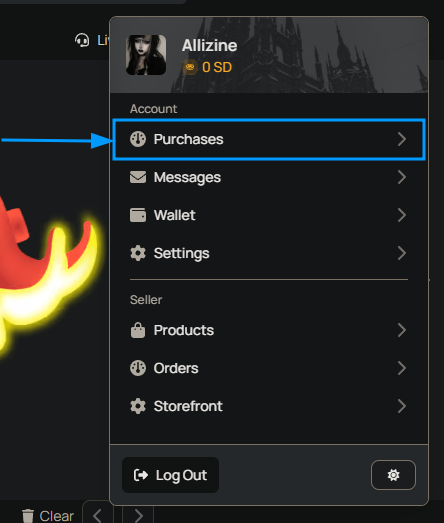
Navigate to Purchases in the drop down menu in the top right corner.
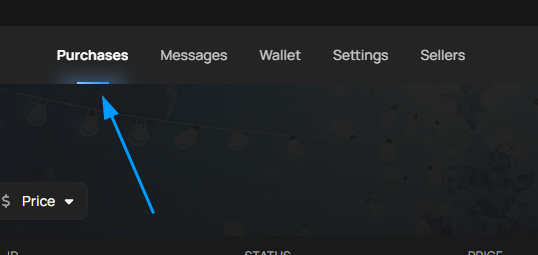
2. Make sure you’re on the purchases tab on the top navigation bar.
3. On the Order page, you will see the order details and a Live Chat with the seller. Communicate directly with the seller through the chat to arrange the delivery. The exact mode of delivery will depend on the game and the type of item.
The layout of the order page might differ slightly if you’re dealing with an account, item, boosting, or currency order.
Find a game you play and browse the available catalog.
Once you click on a particular offer or currency, we will automatically show you the best price from all the sellers based on various factors such as price and overall seller rating.
If the quantity, price or delivery time isn’t suitable for you at this time, you can always check other sellers below.
Select the quantity you’d like to purchase.
Click Buy Now
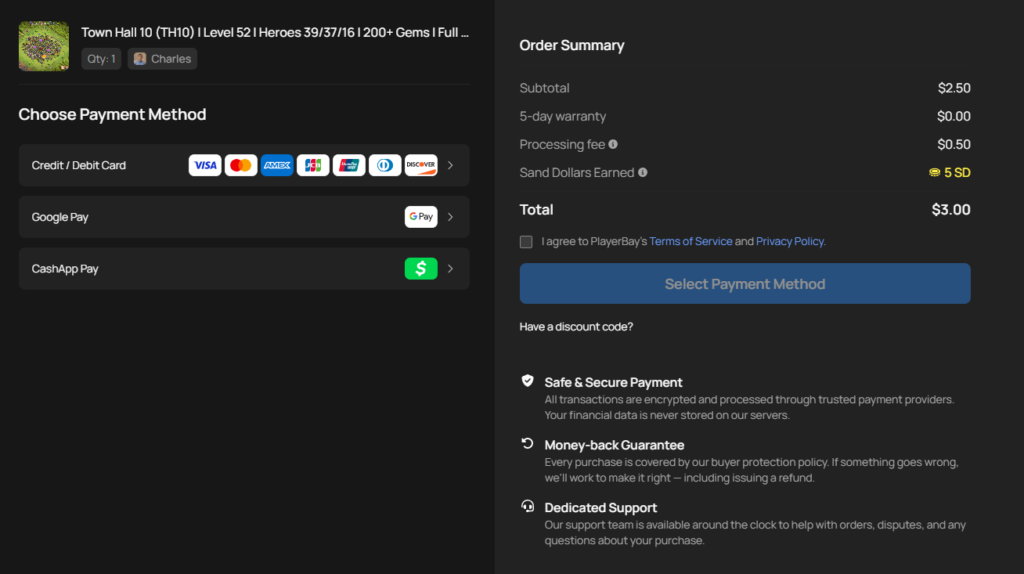
On the Summary page you’ll be asked to provide some extra information required for delivery (In Game Name, Account Name, Email, etc). Here you will also be able to see an order summary:
2. Select your preferred payment method and the button will change.
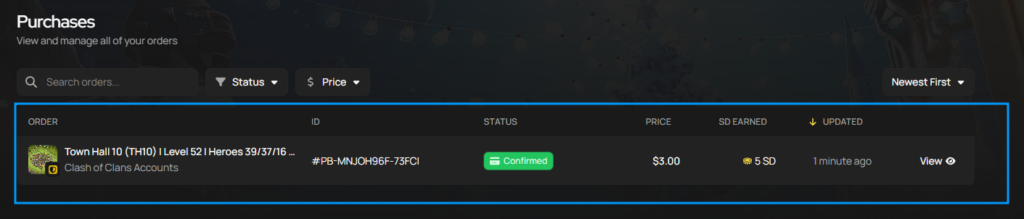
3. After completing the payment, you will be redirected to your Order. Also, you can always find your Orders under the Purchases tab in the dropdown menu.
See How to Recieve a purchased order for more details here.
After purchasing your desired account, you should be redirected to the order page. If you’re having difficulty locating the order page and account details, please follow the guide below
Navigate to Purchases in the dropdown menu in the top right where your avatar is.
Locate the order you’d like to view here:
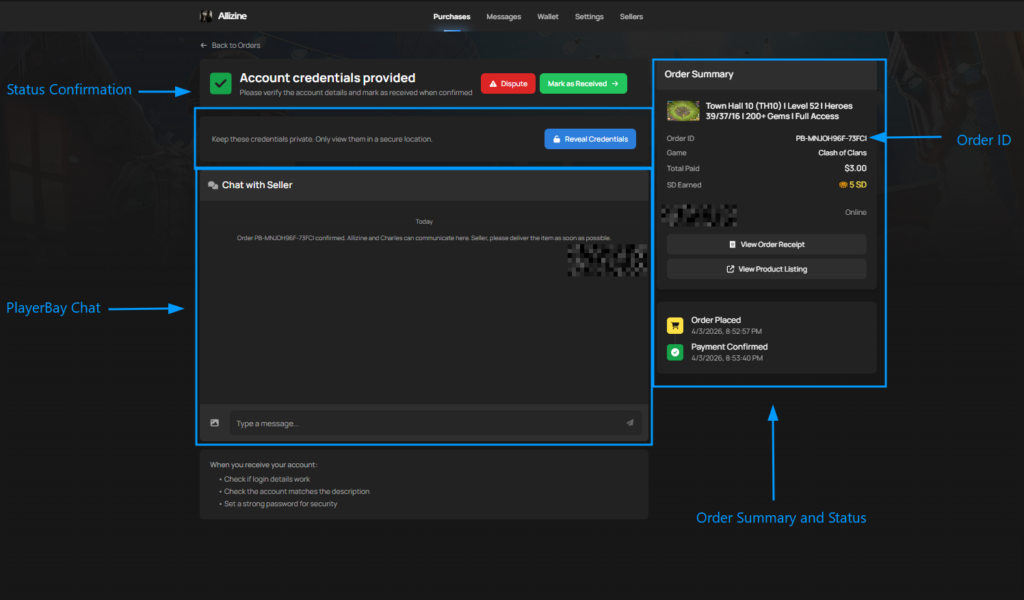
If you purchased an order with the Instant Delivery option, you will see the account details at the top of the order page, otherwise your account details will be manually delivered by the seller in the order chat. Use this image for order page navigation:
The seller will send you all the necessary information regarding the account and help facilitate the changing of the email of the account if one is present via the PlayerBay Chat
After receiving the Account Information:
Log in to the account and make sure the provided credentials work.
Check to see if the account has everything that was promised in the offer description.
Log in to the account email if one is linked.
Change the passwords for both the account and the email.
Enable two factor authentication on the game account and email for extra security.
If anything is wrong with the account such as : the login credentials do not work, it’s not as described, start by communicating with the seller via the PlayerBay Order Chat. The seller MUST assist you in resolving the issue.
If the seller is unresponsive or unable to help, raise a dispute. The Playerbay team will then review your order and provide a refund if necessary. The “Raise a Dispute” option becomes available when the order status is either “Pending Delivery” or “Order Delivered.”
You can learn more about our [DISPUTE ROUTE]
We use cookies to ensure that we give you the best experience on our website. If you continue to use this site we will assume that you are happy with it.Accept