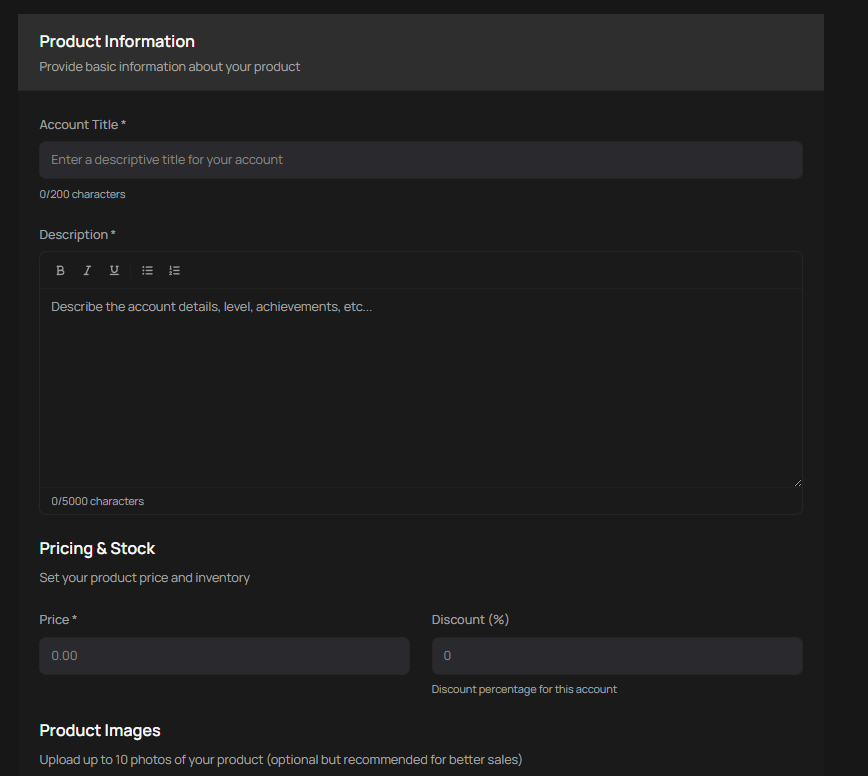
To list an account for sale, your PlayerBay account must be verified. When creating your listing, include the most important details about the account in the title and provide as much relevant information as possible in the description. You can select a delivery time and upload up to 10 images of the account. Set your asking price and submit your offer.
What Information to Provide
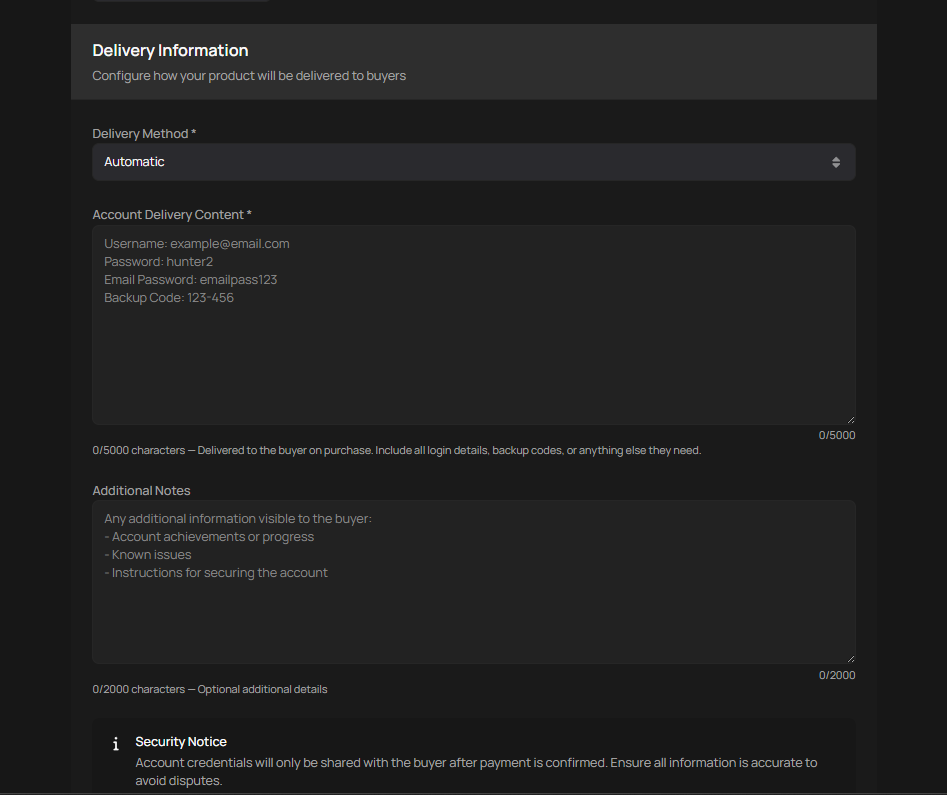
You must provide the login username, password, associated email credentials (if applicable), and any security question answers (if applicable). If an email is attached to the account, you must also provide the buyer with full access to that email. PlayerBay only permits the sale of full-access accounts.
If using instant delivery, the listing page will ask you to provide the relevant information.
Once Your Account Sells
When a buyer purchases your listing, reach out to them through the platform chat to arrange the account transfer. You’ll need to provide the username, password, email credentials, any security question answers if applicable, and any other relevant login information.
Where to Deliver Account Information
If you’re not using instant delivery, all account credentials should be shared through the PlayerBay chat. This gives you access to secure, end-to-end encrypted communication with the buyer. If the account requires an email change, you’ll need to facilitate that by providing any necessary confirmation from the associated email.