Two-factor authentication (2FA) asks for a second step after you sign in: a code from an authenticator app, a code sent to your email, or a passkey. It applies to every way you sign in, including Google, Discord, Facebook, Steam and email codes. Turn it on in Settings under Security, and save your recovery codes.
Turn on two-factor authentication
Go to Settings and open the Security tab.
Under Two-Factor Authentication, select Setup next to Authenticator App or Email Verification.
If your account has a password, enter it and select Continue.
For an authenticator app, scan the QR code with Google Authenticator, Authy or a similar app. Select Can’t scan? to type the code in by hand instead.
Enter the 6-digit code from the app or from the email, then select Enable 2FA.
Copy your 2FA Recovery Codes and store them somewhere safe.
We email you whenever two-factor authentication is turned on or off.
Open Settings
Your recovery codes are the only way back in on your own if you lose your authenticator app. Each code works once. Store them outside your phone, for example in a password manager.
Signing in with 2FA on
After your password, email code or social login, PlayerBay asks for your second factor. Enter the code from your app or email, or select Use a backup code.
Tick Trust this device for 30 days on a device only you use. On a trusted device, you aren’t asked for the second factor again until the trust runs out.
Passkeys
A passkey lets you sign in with your fingerprint, face or device PIN, with no password or code. A passkey counts as your second factor, so signing in with one never asks for a code.
In Settings, open Security.
Under Passkeys, select Add a passkey and follow your device’s prompt.
You can rename or remove a passkey there. To sign in with one, select Sign in with a passkey on the sign-in page.
Switch methods or turn 2FA off
Under Two-Factor Authentication, select Switch to this method on the other method, or Disable 2FA. You confirm with your password, if you have one, and a current code.
Lost access to your second factor
Sign in and use one of your recovery codes, then set up 2FA again.
If you use email codes, check that you can still open your inbox.
If you have neither, contact support. Before we remove 2FA, we check it’s you: send a selfie holding a valid ID and a piece of paper with today’s date written on it. If you’re a verified seller, we compare it with your seller verification.
Contact support
Yes. Every sign-in method asks for your second factor, unless you sign in with a passkey or on a trusted device.
No. PlayerBay staff never ask for your password, sign-in codes or 2FA codes. Anyone asking for one in chat or by phone isn’t us.
Settings, Security, Active Sessions lists every device signed in to your account. Select Sign Out All to end them all.
You can sign in with a code sent to your email, a password, a passkey, or your Google, Discord, Facebook or Steam account. All of them open the same PlayerBay account. Connect or disconnect social logins in Settings under Connections. If your account has two-factor authentication on, it’s asked for whichever way you sign in.
Your options
Method
How it works
Email code
Enter your email under Sign in or create an account and we send you a 6-digit code. If you’re new, the same code creates your account.
Password
Select Use a password instead. You can add a password later in Settings if you started without one.
Passkey
Sign in with your fingerprint, face or device PIN. Add one in Settings under Security.
Google, Discord, Facebook, Steam
Select Sign in with Google (or Discord, Facebook, Steam) and approve PlayerBay on that site.
The sign-in page marks the method you used last with Last used.
Connect a social login to your account
Sign in to PlayerBay.
Go to Settings and open the Connections tab.
Under Connected Accounts, select Connect next to Google, Discord, Facebook or Steam.
Approve PlayerBay in the window that opens.
Google, Discord and Facebook connect only when that account uses the same email address as your PlayerBay account.
Open Settings
If your email already has a PlayerBay account
If you sign in with Google, Discord or Facebook and an account with that email already exists, you can see This email already has a PlayerBay account. This stops someone else from attaching their login to an account they don’t own.
Select Sign in to connect and sign in with that account’s password, or with a code from your email.
Finish connecting the provider from Connections in Settings.
Forgot the password? Select Forgot password? on that page.
Signing in with Steam
Steam doesn’t share your email address, so after your first Steam sign-in we ask you to Add your email. You need it for order updates and to keep your account safe. If that address already belongs to a PlayerBay account, we email it instructions for connecting your Steam login.
Disconnect a login
In Connections, select Disconnect next to the provider. You can remove a login as long as another way to sign in remains: another connected login, a password, or email codes to your verified address.
Add a passkey for the fastest sign-in. It also counts as your second factor when two-factor authentication is on.
Your Google email is different from your PlayerBay email, so a new account was created. Sign in your usual way, then connect Google from Connections. It must use the same email address.
No. Once your email address is verified, you can always sign in with an email code. Add a password in Settings if you’d also like to use one.
Select Forgot password? on the sign-in page, enter your email and open the link we send you. The link works for 1 hour. After you choose a new password, you’re signed in and every other device is signed out. If two-factor authentication is on, you still enter your second factor.
Reset your password
On the sign-in page, select Use a password instead, then Forgot password?.
Enter your account email and select Send reset email.
Open the email and select Reset Password.
Enter your new password, at least 8 characters, and select Reset password.
Passwords that have appeared in a known data breach aren’t accepted. Choose one you don’t use anywhere else.
What happens after a reset
You’re signed in on the device where you reset it.
Every other device signed in to your account is signed out.
Any other reset links we sent you stop working.
We email you to confirm the password was reset.
If two-factor authentication is on, you enter your code, a backup code or a passkey before you can use your account.
You may then see Check how you sign in, a list of every way into your account. Remove anything you didn’t set up yourself, then select These are all mine.
If you get a reset email you didn’t ask for, ignore it: your password stays the same. If you get a “password was reset” email you didn’t expect, reset your password right away and contact support.
Change your password while signed in
Go to Settings and, on the General tab, select Edit Profile.
Under Password & Security, enter your current password and your new one.
Save. Every other session is signed out.
If you sign in with an email code or a social login and have no password yet, select Set password there instead.
Open Settings
Links work for 1 hour and only once. Request a new one from Forgot password?.
Check your spam folder and that you typed the address you use on PlayerBay. You can also sign in with a code sent to the same address.
No. On an account with a verified email, you still need your second factor after a reset.
Go to Settings and open Notifications. For each kind of update, such as orders, messages and disputes, choose whether you get it in the app, as a push notification, by email or with a sound. Push is turned on per device. Updates about withdrawals, verification, payment issues and security always reach you.
Choose what you get
Go to Settings and open the Notifications tab.
Under Notification preferences, each row is a kind of update (Order updates, Messages, Disputes, Reviews, Withdrawals and more). Each column is a channel: App, Push, Email and Sound.
Switch each one on or off. Changes save straight away.
Critical events (withdrawals, verification, payment issues and security) always reach you, whatever you choose here.
Open notification settings
If you sell, keep Order updates and Messages on for Push. New orders have a delivery deadline, and a push notification is the fastest way to hear about one.
Turn on push notifications on this device
In the Notification Channels card, make sure Browser is on.
Under Browser Push Notifications, select Turn on push notifications.
Allow notifications when your browser asks.
Repeat this on each phone or computer where you want push notifications. Devices with push notifications lists them, and Remove stops push on one.
iPhone and iPad
Safari sends push notifications only to PlayerBay added to your Home Screen. Tap the Share button, choose Add to Home Screen, open PlayerBay from the Home Screen, then turn on notifications there.
If notifications are blocked
Blocked in your browser: open the site settings from the icon next to the address bar, allow notifications, then reload the page.
Blocked by your device: turn on notifications for your browser in your system settings.
Brave: push is off by default. Follow the steps PlayerBay shows to turn on “Use Google services for push messaging”.
Quiet hours
Under Quiet hours, select Enable quiet hours and set a start and end time. During those hours, push notifications and non-critical emails pause. In-app notifications and critical events still arrive. The times follow the timezone in your profile.
Email
Message emails are a reminder about messages you haven’t read, not a copy of every message.
Every optional email has an Unsubscribe link. Emails about your orders, payments and account security still arrive after you unsubscribe.
If emails to your address bounce, we stop sending them and the Notification Channels card says so. Select Resume email once the address works again, or change your email address.
If one of our emails is marked as spam, we stop sending you optional emails and the card shows Email is paused. Select Resume email to get them again.
Where to see everything
The bell in the top bar opens your latest notifications, and See all notifications opens the full list. The Activity page lists what needs you right now, such as orders to deliver or disputes to answer.
Change your email in Settings: open Edit Profile, enter the new address and save. We first email your current address to approve the change. Then we send a link to the new address, which you open on the device where you’re signed in. Your current email stays active until the new one is confirmed.
Before you start
Your account needs a password. If you sign in only with an email code or a social login, select Set password in Edit Profile first.
You need access to both your current inbox and the new one.
Change your email
Go to Settings and, on the General tab, select Edit Profile.
Enter the new address in Email and save.
Open the email we send to your current address and select Approve Email Change. On the page that opens, select Approve change.
Open the email we then send to your new address. Open its link on the device where you’re signed in to PlayerBay, or enter its code there.
Once the new address is confirmed, it’s your sign-in and contact email. Settings shows Email Successfully Verified.
Open Settings
If you get an approval email you didn’t ask for, don’t approve it. Change your password: someone else may be signed in to your account.
If the new-address link says “Finish where you’re signed in”
You opened it on another device or browser. Open the link again on the device where you’re signed in, or sign in there first, then open it.
If you can’t open your current inbox
The change can’t go ahead without approval from your current address. Contact support from your signed-in account and choose My account.
Before we change the address, we check it’s you. Send a selfie holding a valid ID and a piece of paper with today’s date written on it. If you’re a verified seller, we compare it with your seller verification.
Contact support
Check your spam folder and that the new address is typed correctly. In Edit Profile, select Resend Email.
If you find a security vulnerability on PlayerBay, report it privately to [email protected] with steps to reproduce it. Our team reviews every report. Valid reports of issues we didn’t already know about can earn a reward based on severity and impact. Test only on your own accounts and data, and don’t disclose the issue until we’ve fixed it.
How to report
Email [email protected]. If you’re signed in, you can also use the contact page and choose Security issue.
Include the details below.
Our team reviews the report, confirms the issue and assesses its impact. We reply within 2 days, often sooner.
Contact us
What to include
Detail
What to send
Summary
A short description of the issue.
Steps to reproduce
Clear steps our team can follow to confirm it.
Impact
What an attacker could do with it: accounts, payments, listings, user data or the platform.
Proof of concept
Screenshots, a video or example requests that show the issue safely.
Accounts used
The PlayerBay accounts you tested with.
Testing rules
Test only with your own accounts and your own data.
Don’t access, change, delete, download or expose anyone else’s data.
Don’t change orders, balances, listings, accounts or payments that aren’t yours.
Don’t run denial-of-service attacks, load tests or spam.
Don’t try social engineering on users, sellers, support staff or employees.
Don’t use destructive testing methods.
Don’t disclose the issue publicly until we’ve reviewed and fixed it.
If you follow these rules and act in good faith, we won’t take legal action against you for your research.
Rewards
Rewards depend on the issue’s severity and impact, the quality of the report, and whether it’s valid, reproducible and new to us. You choose how we pay a reward: in cash, or as a voucher for PlayerBay purchases.
Not every report qualifies. Reports that are unclear, duplicates, low impact, outside these rules or not about PlayerBay’s security don’t earn a reward.
A ban ends every session on your account, takes your listings off the marketplace and stops you signing in, buying or selling. You get an email with the reason. A temporary suspension pauses buying, listing and withdrawals until a set date, while your orders keep working. Short of either, our team can warn a seller, pause listings or hold payouts. If you think a decision is wrong, contact us and we’ll review your account.
What a ban does
You’re signed out on every device straight away.
You can’t sign in with any method, so you can’t buy, sell or use your dashboard.
Your active listings are taken off the marketplace.
You get an email titled Account banned with the reason.
Finish orders already in progress, and chat on them
Yes
Buy
No
List new offers or turn listings back on
No. Your active listings are paused.
Withdraw your balance
No. Payouts are held.
You get an email titled Account suspended with the reason and the date it ends. On that date the suspension lifts by itself: paused listings that still have stock go back on sale, payouts resume, and you get a second email. If your suspension has no end date, our team lifts it after reviewing your account.
Don’t create a new account to get around a ban. New accounts we link to a banned one are banned too.
Your open orders and earnings
Open orders: our team handles orders still in progress one by one, and refunds buyers whose orders can’t be completed.
Seller earnings: payouts are held from the day of the ban while we review the account, and buyers are repaid first. Any earnings left are then paid out through support. If the ban was for fraud, they aren’t paid out.
Restrictions short of a ban
Action
What it means
Seller warning
An email explaining a problem our team found, such as late deliveries or too many cancelled or disputed orders.
Paused listing
A listing paused by our team. You can’t turn it back on yourself; the listing page tells you to contact us.
Payout hold
Withdrawals are paused while we review your account. Your balance isn’t touched. See Payout holds.
Appeal a decision
Contact us from the contact page. If you’re banned, you can’t sign in, so email [email protected], the address in your ban email.
Explain why you think the decision is wrong and include your username or account email.
Our team reviews your account and replies by email.
If we find the ban was a mistake, we lift it and you can sign in again.
To delete your account, go to Settings, select Delete under Delete Account, type your email and select Email me the link. Then open the link we send while signed in to PlayerBay. It works for 24 hours. Deletion is permanent and removes your Sand Dollars, vouchers, profile and listings.
Before you delete
You can’t delete your account while you have open orders, purchases still under buyer protection, or earnings left to withdraw.
Finish your open orders. Wait until every order you bought or sold is complete, refunded or cancelled.
Wait for buyer protection to end. If something you bought is still under buyer protection, you can delete your account once the protection period on it ends. You can still open a dispute until then.
Withdraw your seller earnings. Request a withdrawal for your available balance and wait until it’s paid.
Use your Sand Dollars and vouchers. Redeem Sand Dollars for a voucher and use your voucher credit on an order first. They can’t be withdrawn, and they’re lost when the account is deleted.
Request your affiliate earnings. Affiliate earnings not yet paid out are lost. The deletion dialog shows what you’d lose before you confirm.
Add an email if you signed up with Steam. We need a real address to send the confirmation link.
Deletion can’t be undone. We can’t restore a deleted account, its Sand Dollars, its vouchers or its history.
Delete your account
Go to Settings and stay on the General tab.
Under Delete Account, select Delete.
Type your email address to confirm, then select Email me the link.
Open the email and select Delete My Account on the device where you’re signed in to PlayerBay.
Your account is deleted only when you open the link while signed in. If you change your mind, ignore the email: the link expires after 24 hours and nothing is deleted.
Open Settings
What’s removed
Your profile and settings, your Sand Dollars and your vouchers.
Your delivery details and connection data on the orders you bought.
Your shop and listings, which come off the marketplace.
Conversations you started, and your messages in other conversations, except order chats.
Your sign-in methods, sessions, passkeys and two-factor settings.
Your seller verification and its documents.
The orders themselves and their order chats stay, because the other buyer or seller needs their order history. Your username no longer links to a profile.
If you verified as a seller, your ID can’t be used to verify a new account. To see what data we keep after deletion and why, read our Privacy Policy.
Don’t open the link. Change your password, because someone else may be signed in to your account, and check Active Sessions under Settings, Security.
Yes. You don’t need to delete your account to stop using it. Turn your listings off and turn off the notifications you don’t want.
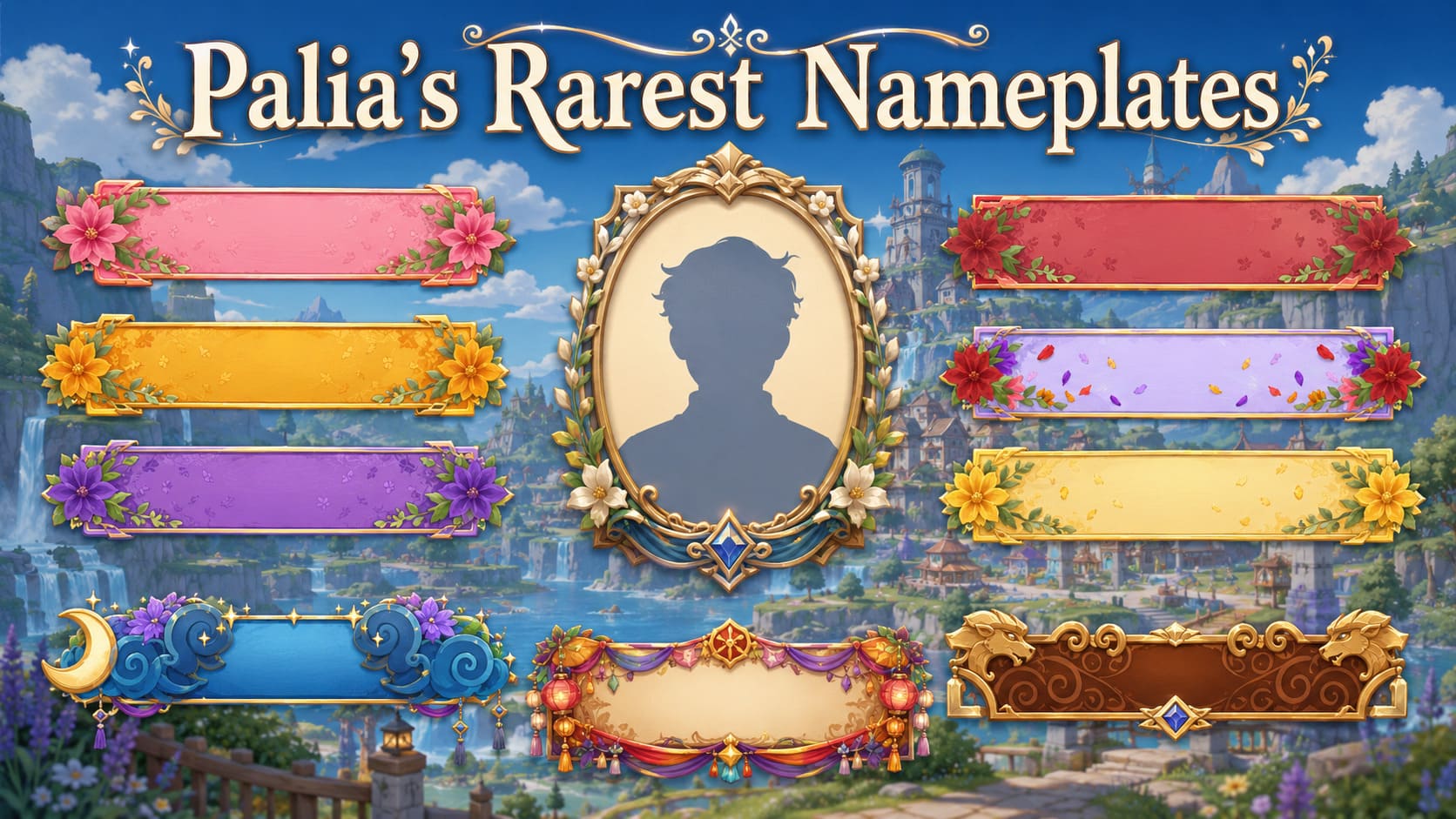
Palia nameplates are cosmetic frames that appear around a player’s name, giving collectors another way to show off event participation, difficult accomplishments, seasonal rewards, or premium purchases. Some can still be earned through regular gameplay, while others were tied to events that have already ended.
That difference is what makes certain nameplates considerably rarer than others. A nameplate might have an ordinary in-game rarity label but still be difficult to find because its event only ran once, its reward required a large amount of event currency, or its original unlock route is no longer available.
This guide covers the rarest Palia nameplates, how each one was originally obtained, which events they came from, and whether you can still unlock them. When an event has passed or the normal method is unavailable, you can also browse Palia items and individual nameplate services on PlayerBay.
Last updated: August 3, 2026. Palia events, seasonal shops, reward rotations, and marketplace availability can change. Check the current in-game event schedule and individual listing details before making a decision.
What Are Nameplates in Palia?
Nameplates are account-bound cosmetics equipped through the Collections menu. They do not improve your tools, skills, inventory space, or character statistics. Their value comes from appearance, collection progress, and the history behind how they were earned.
Palia nameplates have been distributed through several different systems:
Limited seasonal events: Luna New Year and Maji Market rewards.
Temporary Bulletin Board bundles: Seasonal collection objectives that were only available during a specific content period.
Recurring world activities: Random rewards from the Flower Bloom Event.
Home Tours: Rewards for receiving reactions or spending Tour Tickets.
Premium purchases: Nameplates included with paid supporter packs.
Permanent progression: Quests, Lunar Paths, and special currency stores.
The rarest nameplates are usually those whose original acquisition method is currently closed, retired, highly random, or expensive in time and event currency.
What Makes a Palia Nameplate Rare?
There is no official leaderboard ranking every Palia nameplate from most common to rarest. For this guide, rarity refers to practical scarcity rather than only the rarity label shown on an item.
Current availability: A retired reward is naturally scarcer than one that can be earned every day.
Event frequency: Annual and one-time events create smaller acquisition windows.
Random reward chances: Flower Bloom nameplates can still require repeated participation because the reward is not guaranteed.
Currency requirements: Event nameplates may require thousands of tickets or envelopes.
Accomplishment requirements: Some rewards require completing several tiers of a stamp card or collecting large numbers of reactions.
Purchase restrictions: Premium nameplates may only be included inside a larger paid bundle.
The Year of the Riffroc Nameplate was introduced during Luna New Year 2026. It was connected to Zeki’s Lucky Catch and required players to complete the Get in My Belly! – III Stamp Card accomplishment.
This was not a reward players could obtain simply by logging in. They had to participate in the event and progress far enough through the associated accomplishment while Luna New Year was active.
Because the 2026 Luna New Year event has ended, the normal event route is not currently open. That makes Year of the Riffroc one of the strongest examples of a genuinely limited Palia nameplate.
Players looking specifically for this cosmetic can review the Year of the Riffroc Nameplate listing on PlayerBay. Confirm current unlock availability with the seller before ordering because event-dependent services may only be possible during certain rotations or through methods described in the listing.
New Year Snake Nameplate
The New Year Snake Nameplate came from the 2025 Luna New Year celebration. Players could purchase it from Zeki’s Lucky Catch for 6,000 Lucky Envelopes.
The 2025 Luna New Year event ran from January 23 through February 20, 2025. Players who did not collect enough Lucky Envelopes before the event ended lost access to its normal purchase method.
Annual event rewards can be especially collectible because returning celebrations may introduce a new yearly theme instead of restoring every previous reward. A future rotation is always possible, but players should not assume the New Year Snake will automatically return during the next Luna New Year.
The Midsummer blossom set includes some of the hardest nameplates to obtain through ordinary gameplay today. These cosmetics were connected to limited Bulletin Board bundles and the Midsummer’s Daydream conclusion introduced alongside the Flower Bloom content.
Unlike the three random Flower Bloom nameplates, these rewards were tied to seasonal objectives that were only available for a limited period. The original event notes stated that the Midsummer bundle rewards were not planned to return through the same normal route.
Blushing Blossoms
Original method: Complete the Midsummer Flowers Bundle on the Bulletin Board.
Blushing Blossoms required players to gather and submit the flowers requested by the seasonal bundle. Because the corresponding Bulletin Board collection is no longer active, new players cannot simply repeat those objectives today.
Original method: Complete the Midsummer Gift Bag Bundle on the Bulletin Board.
Firey Blossoms was separated from the other floral cosmetics by its own bundle requirements. Missing even one limited bundle could leave an otherwise dedicated collector without the complete Midsummer set.
Original method: Complete the Midsummer Decor Bundle on the Bulletin Board.
Royal Blossoms was the reward attached to the event’s decor-focused collection. It is now particularly difficult for players who joined Palia after the Midsummer content ended.
Original method: Complete the Midsummer Feast Bundle on the Bulletin Board.
Vivid Blossoms required completing the seasonal feast collection while the event board was available. Its lack of a normal repeatable acquisition method gives it stronger practical scarcity than its displayed item rarity might suggest.
Original method: Complete Midsummer’s Daydream: Outro.
Bountiful Blossoms acted as a concluding reward for progressing through the broader Midsummer content. It is especially desirable to collectors because it represents completion of the seasonal storyline rather than a random Flower Bloom drop.
Palia may rotate some older limited cosmetics through systems such as the Kilima Coin Catalogue in the future. However, a possible seasonal rotation should not be treated as a confirmed return date for any specific nameplate.
Flower Bloom Event Nameplates
The Flower Bloom Event provides three floral nameplates that remain obtainable through gameplay:
Bluetiful Blossoms
Midnight Blossoms
Sunny Blossoms
The Flower Bloom begins daily at 12:00 PM in-game time. It appears at one of six possible locations around Kilima Valley. Players can look for the event’s orange mist and sprouting plants, then help remove weeds, water flowers, and complete the shared activity.
Participation can award flowers, gardening items, decor, and floral nameplates. The important detail is that the nameplates are random rewards. Completing one Flower Bloom does not guarantee the particular cosmetic you want.
This creates a different type of rarity. These nameplates are not retired, but an unlucky player may need to participate many times before receiving all three.
Bluetiful Blossoms
Bluetiful Blossoms is randomly awarded through the Flower Bloom Event. Players who enjoy the blue floral design can continue participating in the daily activity or check the Bluetiful Blossoms listing on PlayerBay.
Midnight Blossoms
Midnight Blossoms comes from the same random reward pool. Its darker design makes it one of the more distinctive choices in the Flower Bloom collection. Players can compare the Midnight Blossoms unlock option instead of waiting indefinitely for the drop.
Sunny Blossoms
Sunny Blossoms is another possible Flower Bloom reward. It remains obtainable through repeated event participation, but its random acquisition can still make it time-consuming. The Sunny Blossoms Nameplate service provides another route for players who would rather avoid the random grind.
Maji Market Nameplate
The Maji Market Nameplate is purchased from Chapaa Tchotchkes for 6,000 Maji Market Tickets.
Maji Market is a recurring event rather than a permanently available location. Its regular pattern has historically brought the market back for one week every four weeks, with the market itself open from 6:00 PM until 3:00 AM in-game time during an active rotation.
Players who want to earn the nameplate normally should prioritize ticket activities during the market week and avoid spending all of their tickets on smaller rewards first. Reaching 6,000 tickets can require several visits depending on participation and current event mechanics.
When Maji Market is not open, the nameplate is temporarily unobtainable through its normal shop. You can wait for the next confirmed rotation or check the Maji Market Nameplate listing.
Dawnspur Devotee Nameplate
Dawnspur Devotee differs from most rare Palia nameplates because it was not earned from an event, quest, or random reward. It was included with the Royal Highlands Supporter Pack, released on May 12, 2026.
The pack included a collection of supporter cosmetics and bonuses, with Dawnspur Devotee representing only one component of the complete bundle. That can make the nameplate expensive for someone who only wants the nameplate and has little interest in the rest of the pack.
Players should first check whether the supporter pack is sold on their platform and whether they want its complete contents. Those only interested in the individual cosmetic can review the Dawnspur Devotee Nameplate service on PlayerBay.
Rare Home Tour Nameplates
Home Tour nameplates are not necessarily retired, but the higher reaction milestones can still make them rare. Each weekly Home Tour theme has several reward tiers, generally requiring 10, 50, 200, or 500 reactions.
The highest-tier versions are the hardest because reaching 500 reactions depends on more than completing a checklist. Players need a polished property, the correct weekly category, visibility in the tour system, and enough visitors willing to react.
Home Tour collections include themed sets such as:
Decor Superstar
Blazing Builder
Construction Cutie
Heartwarming Hearth
Magical Manor
Other nameplates, including Starfall Sylph, Redland Rover, Lilypad Leaper, and Fierce Fatale, can be purchased from the Home Tours Store for 100 Tour Tickets each.
Based on current acquisition restrictions, the strongest candidates are the following:
Midsummer Bulletin Board nameplates: Their original seasonal bundles have ended, and the rewards were not planned to return through the same normal route.
Year of the Riffroc: Required progress through a Luna New Year 2026 Stamp Card accomplishment during a limited event.
New Year Snake: Cost 6,000 Lucky Envelopes during Luna New Year 2025 and is no longer in an active event shop.
Dawnspur Devotee: Tied to a paid supporter pack rather than ordinary gameplay.
Maji Market: Only normally purchasable during recurring market weeks after earning 6,000 tickets.
High-tier Home Tour nameplates: Technically obtainable, but difficult because some require as many as 500 community reactions.
Flower Bloom nameplates: Still obtainable, though random drops can make completing the set unpredictable.
A retired nameplate is not automatically the best-looking or most valuable choice for every player. Some collectors care more about completing a themed set, matching a character outfit, or finding a design that complements their preferred title and profile appearance.
Should You Grind or Buy a Palia Nameplate?
Situation
Best Approach
Reason
The activity is currently active and enjoyable
Earn it normally
You can experience the event and collect its other rewards at the same time.
The reward is random
Set a grind limit first
Repeated Flower Bloom attempts may take longer than expected.
The event returns regularly
Wait for the next rotation
Maji Market rewards can be earned when the market reopens.
The event has ended
Watch for a confirmed rerun or compare services
There may be no immediate normal gameplay route.
The nameplate is inside an expensive bundle
Compare the complete bundle against an individual option
Buying the full pack may not make sense when you only want one cosmetic.
You are uncomfortable sharing temporary account access
Do not use an account-based service
Wait for an official in-game acquisition method instead.
How PlayerBay Nameplate Services Work
PlayerBay currently has individual listings for several Palia nameplates. This lets buyers search for one specific cosmetic instead of purchasing a broad package containing rewards they do not want.
Many of these offers are account-recovery or account-based services rather than transferable inventory items. The seller may need temporary access to complete the required event activity, purchase, accomplishment, or unlock on the buyer’s Palia account.
Before ordering, review the following:
Current availability: Contact the seller when the description requests confirmation, especially for event-dependent nameplates.
Exact cosmetic: Verify the full nameplate name and do not rely only on a similar thumbnail or blossom theme.
Delivery method: Confirm whether the offer requires temporary account access and what the seller will do.
Estimated completion: Event rotations, random rewards, and accomplishment requirements can affect delivery timing.
Platform compatibility: Make sure the seller supports the platform and account configuration you use.
Account precautions: Use unique credentials, remove unnecessary payment information, and change your password after the service is completed.
Game rules: Review Palia’s current terms and only proceed with a method you understand and accept.
Order communication: Keep instructions, updates, and completion confirmation inside the marketplace order chat.
Availability is not guaranteed simply because a listing page exists. Limited events may be closed, game updates can change requirements, and individual sellers may pause fulfillment. Always read the current offer and ask questions before placing an order.
Buy Palia Nameplates on PlayerBay
Rare nameplates often come down to timing. Players who joined after Luna New Year or Midsummer may have no active in-game route, while others may be stuck repeating Flower Bloom activities without receiving the cosmetic they want.
PlayerBay’s Palia marketplace lets you browse individual nameplate offers alongside other Palia items and services. Compare the cosmetic, seller information, delivery requirements, availability notes, and price before choosing an offer.
PlayerBay is an independent marketplace and is not affiliated with, endorsed by, sponsored by, or officially connected with Palia, Singularity 6, Daybreak Game Company, or their respective owners. Game names, item names, artwork, and trademarks are used only for descriptive purposes.
There is no official single rarest nameplate. The strongest candidates include the retired Midsummer Bulletin Board rewards, Year of the Riffroc, and New Year Snake because their original limited-event methods are not currently active.
Its original acquisition window was Luna New Year 2026, where it required the Get in My Belly! – III Stamp Card accomplishment. That event has ended, so the normal event method is not currently available.
Bluetiful Blossoms, Midnight Blossoms, and Sunny Blossoms can be awarded randomly by participating in the Flower Bloom Event. The event starts daily at 12:00 PM in-game time at one of several Kilima Valley locations.
The original Midsummer Bulletin Board bundles were limited, and their rewards were not planned to return through the same normal method. Older limited cosmetics may appear in a future seasonal rotation, but no specific return should be assumed until officially confirmed.
The Maji Market Nameplate costs 6,000 Maji Market Tickets at Chapaa Tchotchkes. It can normally be purchased only while Maji Market is active.
Its official acquisition method is the Royal Highlands Supporter Pack, where it is included with several other rewards. PlayerBay may have an individual service for players interested specifically in the nameplate.
You can browse individual Palia nameplate and cosmetic services in PlayerBay’s Palia items marketplace. Read each offer carefully because availability, fulfillment requirements, and temporary account access can vary.
{ “@context”: “https://schema.org”, “@type”: “FAQPage”, “mainEntity”: [ { “@type”: “Question”, “name”: “What is the rarest nameplate in Palia?”, “acceptedAnswer”: { “@type”: “Answer”, “text”: “There is no official single rarest nameplate. The strongest candidates include the retired Midsummer Bulletin Board rewards, Year of the Riffroc, and New Year Snake because their original limited-event methods are not currently active.” } }, { “@type”: “Question”, “name”: “Can you still get the Year of the Riffroc Nameplate?”, “acceptedAnswer”: { “@type”: “Answer”, “text”: “Its original acquisition window was Luna New Year 2026, where it required the Get in My Belly! – III Stamp Card accomplishment. That event has ended, so the normal event method is not currently available.” } }, { “@type”: “Question”, “name”: “How do you get the Flower Bloom nameplates?”, “acceptedAnswer”: { “@type”: “Answer”, “text”: “Bluetiful Blossoms, Midnight Blossoms, and Sunny Blossoms can be awarded randomly by participating in the Flower Bloom Event. The event starts daily at 12:00 PM in-game time at one of several Kilima Valley locations.” } }, { “@type”: “Question”, “name”: “Will the Midsummer nameplates return?”, “acceptedAnswer”: { “@type”: “Answer”, “text”: “The original Midsummer Bulletin Board bundles were limited, and their rewards were not planned to return through the same normal method. Older limited cosmetics may appear in a future seasonal rotation, but no specific return should be assumed until officially confirmed.” } }, { “@type”: “Question”, “name”: “How do you get the Maji Market Nameplate?”, “acceptedAnswer”: { “@type”: “Answer”, “text”: “The Maji Market Nameplate costs 6,000 Maji Market Tickets at Chapaa Tchotchkes. It can normally be purchased only while Maji Market is active.” } }, { “@type”: “Question”, “name”: “Is Dawnspur Devotee available by itself?”, “acceptedAnswer”: { “@type”: “Answer”, “text”: “Its official acquisition method is the Royal Highlands Supporter Pack, where it is included with several other rewards. PlayerBay may have an individual service for players interested specifically in the nameplate.” } }, { “@type”: “Question”, “name”: “Where can I find Palia nameplates for sale?”, “acceptedAnswer”: { “@type”: “Answer”, “text”: “You can browse individual Palia nameplate and cosmetic services in PlayerBay’s Palia items marketplace. Read each offer carefully because availability, fulfillment requirements, and temporary account access can vary.” } } ]}
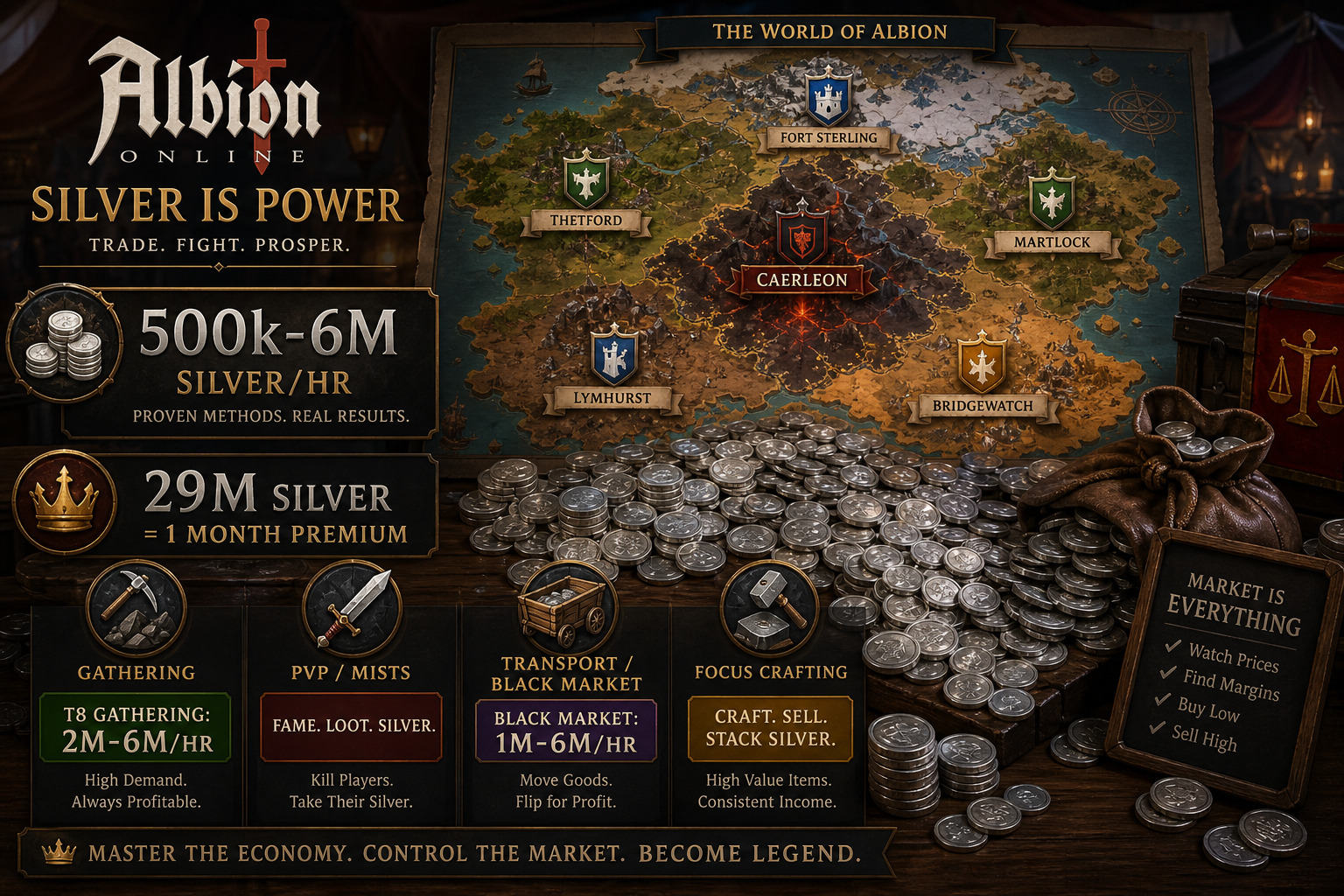
Silver is everything in Albion Online. It buys your gear, funds your premium, upgrades your island, and — when you die in a full-loot zone — it is what you lost. The player-driven economy means there is no fixed “best” method. What prints silver this week might be crowded into unprofitability next week. But the underlying activities do not change — and knowing which ones fit your risk tolerance, your playstyle, and your bankroll is the difference between struggling to replace 4.1 sets and comfortably funding multiple PvP builds.
This guide covers every major silver-making method in Albion Online as of mid-2026 — from completely safe yellow-zone gathering to full-loot Black Zone PvP, from focus-point crafting to Black Market flipping — with realistic silver-per-hour expectations, honest risk assessments, and the requirements for each. And if you decide that grinding 30 million silver for premium every month is not how you want to spend your time, we cover the marketplace alternative too.
Category
Method
Silver/hr (Range)
Risk
Requirements
Gathering
Blue/Yellow Zone Hide (T5-T6)
150k–600k
🟢 None
T5+ Skinning, gathering gear
Black Zone T8 Gathering
2M–6M
🔴 Full Loot
T8 gathering, high spec, escape mount
Fishing (T7-T8)
500k–3M
🟡 Varies
T7+ Fishing, fishing gear
PvE
Solo Dungeons (Yellow Zone)
100k–350k
🟢 None
T4+ gear, food buffs
The Depths (Yellow Zone)
500k–3M+
🟢 Gear Safe
4.1–5.1 gear, accessible from cities
Group Dungeons (Black Zone)
500k–3M
🔴 Full Loot
Good PvE build, coordinated group
PvP
The Mists (Solo PvP)
1M–5M+
🔴 Full Loot
PvP build, game knowledge, skill
Faction Warfare / Ganking
1M–3M
🟡 Varies
Faction flag, PvP build
Market
Black Market Flipping
1M–6M
🔴 Transport Risk
1M-3M starting capital, ox cart, route knowledge
City-to-City Arbitrage
200k–500k (low capital)
🟡 Red Zone
Capital, market knowledge, transport mount
Crafting with Focus
20–200+ silver/focus point
🟢 Safe
Premium, high specialization, crafting calculator
Events
Faction Heart Transport
500k–2.5M
🟡 Yellow/Red Zone
Faction flag, hearts, transport mount
Smuggler Crates
1M–2M
🟡 Red Zone
Mobility build, crate locations
Silver rates are ranges — Albion’s player-driven economy means actual profit depends on current market prices, your efficiency, zone population, and luck. All data current as of July 2026.
📖 “How the Albion Economy Works” (click to expand)
How Albion’s Economy Works (and Why It Matters for Silver Making)
Before diving into methods, you need to understand three things about Albion’s economy that most money-making guides skip:
1. Every City Has Different Prices
Albion has no global marketplace. Each of the five Royal Cities (Fort Sterling, Lymhurst, Bridgewatch, Thetford, Martlock), plus Caerleon and Brecilien, has its own separate market. Prices for the same item can vary 20% to 40% between cities. Fiber is cheaper in Lymhurst (where it is refined) and more expensive elsewhere. Ore is cheaper in Thetford. This is not a bug — it is the foundation of transport profit. Learning where to sell what you gather is as important as gathering it.
2. The Black Market Controls Loot
Every piece of gear that drops from a mob in Albion was crafted by a player and sold to the Black Market — a single NPC vendor in Caerleon. The Black Market buys player-crafted equipment to stock the game’s loot tables, and its buy prices fluctuate constantly based on server-wide demand. When thousands of players are running dungeons, more loot drops, the Black Market needs more supply, and prices rise. This is why Black Market flipping exists — you are selling to the game itself, not to other players.
3. Premium Changes the Math
Premium status gives you +50% gathering yield, 10,000 focus points per day (critical for profitable crafting and refining), reduced market tax (4% instead of 8%), and a monthly 10% global discount on silver purchases when gold prices are below 5,000. As of July 2026, one month of premium costs roughly 27-29 million silver on the Europe server, 29 million on Americas, and 47 million on Asia (due to higher gold prices). If you are trying to self-fund premium through in-game silver, you need to earn roughly 900,000 to 1.6 million silver per day depending on your server — every single day of the month.
Method Group 1: Gathering — The Reliable Foundation
Gathering is the most reliable silver-making method in Albion — and the most time-consuming to set up. A T8 gatherer with full specialization, Avalonian tools, and a pork pie can make 2 to 6 million silver per hour in the Black Zone, depending on the resource, enchantment rates, and competition. But reaching that point requires hundreds of hours of grinding gathering fame. The journey is long, but the payoff is permanent — unlike gear, your gathering levels cannot be lost.
Blue Zone Hide Gathering (Safe, 150k–600k/hr)
For new players with zero risk tolerance, hide gathering in blue and yellow zones is the safest starting point. With full hide gathering gear and a pork pie (15% gathering yield for 30 minutes), T5-T6 animals can generate 150,000 to 600,000 silver per hour depending on your tier, spec level, and competition. The Avalonian skinning knife further increases yield. Fill gathering journals while you work — a full T5 gamekeeper journal adds roughly 10,000 silver of value per journal, either by selling the full journal or using laborers on your island.
The key to gathering profit is not what you gather — it is where you sell it. Hide gathered near Bridgewatch sells for more in Fort Sterling or Martlock, where there is no refining bonus for hide. Transporting your haul across cities can add 10% to 20% to your profit margin. Use a market tracker to compare prices before you sell. And never sell raw resources in the city that refines them — the supply is highest there, and the prices are lowest.
Black Zone T8 Gathering (High Risk, 2M–6M/hr)
At T8 with high specialization, a single enchanted node can be worth hundreds of thousands of silver. A T8.1 Ore node with a full stack of 27/27 charges can yield roughly 120 ore worth 1.2 million silver in under two minutes. Experienced T8 gatherers report 2 to 6 million silver per hour in high-quality Black Zones — but those rates depend on:
Enchantment rates — higher-tier zones (T7-T8) have better enchantment chances, and roads of Avalon can spawn rare enchanted nodes with low competition
Mastery level — a T8 gatherer with level 1 mastery gathers significantly slower than a T6 gatherer with level 100 mastery. Spec matters more than tier.
Zone population — during prime time, high-quality Black Zones are crowded. Off-peak hours dramatically increase your yield per hour.
Escape ability — you need a mount that does not lose carry weight when dismounted (Giant Stag, Moose, or the premium Pest Lizard) and the ability to read ganker behavior before they reach you
The Black Zone gathering rule: never carry more than you can afford to lose. A full load of T8.2 or T8.3 resources can be worth 5 to 10 million silver. Getting ganked with that in your inventory erases an hour or more of profit. Some gatherers bank after every valuable node — the extra travel time is insurance.
Fishing (500k–3M/hr, T7+)
Fishing is a distinct gathering profession with its own gear and mechanics. At T7-T8, fishing is one of the more profitable gathering activities — T8 fish are in demand for endgame food, and rare fish can spike to premium prices during content updates that introduce new cooking recipes. Experienced T8 fishermen report 3 to 6 million silver per hour in the right zones, though 500k to 3 million is a more realistic range for most. Fishing is also one of the more relaxing gathering methods — less competition for nodes and less movement than hide or ore gathering.
📖 “PvE Money Makers: Solo Dungeons, The Depths & Group Content” (click to expand)
Method Group 2: PvE — Dungeons, Depths, and Group Content
PvE silver making splits into two categories: safe content where you cannot lose your gear (yellow zone), and full-loot content where death means starting over (red and black zones). The profit potential scales with the risk.
Solo Dungeons — Yellow Zone (100k–350k/hr)
Yellow Zone solo dungeons are the entry-level silver maker. You cannot lose your gear (you get knocked down, not killed), and the loot is consistent if modest. Focus on clearing T5 dungeons quickly, selling everything — do not hoard. With food buffs to speed up clears, aim for 4 to 6 dungeons per hour. Loot comes from chests, mob drops, and the final boss. Profit is modest — roughly 100,000 to 350,000 silver per hour — but it is completely safe and requires only a basic T4-T5 set. For new players funding their first gear upgrades, this is where you start.
The Depths — The New Safe Money-Making Meta (500k–3M+/hr)
The Depths (often called “Deps”) are one of the best additions to Albion’s safe-content lineup. Accessible through red rifts in each capital city, they are instanced dungeons where you never lose your gear — only the contents of your inventory. This means you can run them in cheap 4.1 or 5.1 gear with almost no risk.
Each Depths run takes 10 to 15 minutes and rewards come from chests and defeated players. During a one-hour farming session, it is possible to accumulate several million silver even with an inexpensive setup. The content is soloable (even in 2v2 and 3v3 Depths), requires no guild, and no advanced PvP experience — making it perfect for solo players who want reliable income.
For players who want to make money without the stress of full-loot zones, the Depths are currently the best time-to-silver ratio in safe content. The combination of no gear loss, fast runs, and consistent profit makes them a staple in any solo player’s silver-making routine. Expect 500,000 to 3 million+ silver per hour depending on your clear speed, the Depths tier, and how many players you defeat.
Group Dungeons & HCE (500k–3M/hr, High Risk)
Black Zone group dungeons and Hardcore Expeditions (HCE) offer some of the highest PvE silver per hour — but require skill, coordination, and a willingness to lose your gear. A coordinated group running Avalonian dungeons or high-tier HCE maps can earn 500,000 to 3,000,000 silver per hour per player. The loot drops are substantial, but so is the competition — other groups will dive your dungeon, and losing a fight means losing everything you have looted plus your gear set.
Group dungeons are best for players already in a guild with an active PvE group. Solo players should stick to the Depths or Mists.
📖 “PvP & Market Methods: Mists, Black Market, Crafting & Faction Warfare” (click to expand)
Method Group 3: PvP — The Mists and Faction Warfare
PvP is the highest-variance silver maker in Albion. One kill can net millions; one death can cost you everything.
Solo Mists (1M–5M+/hr, High Risk/High Skill)
The Mists are Albion’s premier solo PvP content — instanced zones where players fight mobs, loot chests, gather resources, and kill each other in full-loot combat. Some players report 5 million+ silver per hour in the Mists, and dedicated PvP players with optimized builds have shown 26 million silver profit in a 5-hour session — roughly 5.2 million per hour. But these numbers come from skilled PvPers running optimized builds with thousands of hours of experience. A new player in the Mists will likely lose more sets than they profit.
The Mists income strategy: enter through Black Zone portals for the best loot, target large camps (skip green chests unless you are after fame books), fill your fame bar while scouting chests, equip a PvP-capable build rather than pure farming gear, and use Journey Back when you have valuable loot. Always inspect other players — if someone approaches with a PvP build, avoid them unless you are confident. Selling in Caerleon typically yields the best prices, but only if you can reach it safely.
The key to Mists profit: bring gear you can afford to lose multiple times. The players making millions per hour are also dying occasionally. If a single death erases your bank, you are bringing too much. 5.1 or 6.1 gear is the sweet spot — strong enough to win fights, cheap enough to lose without quitting the game.
Faction Warfare & Ganking (1M–3M/hr)
Faction warfare generates two income streams: direct loot from kills, and faction points earned from all PvP activity while flagged. Points can be exchanged for Faction Hearts (a crafting item) at your faction recruiter and sold on the market. Active faction fighters earn 1 to 3 million silver per hour when combining kill loot with heart profits. Sieges and defenses are particularly profitable — large-scale faction fights generate kill loot that can spike income considerably.
The faction heart market fluctuates based on crafting demand and city control, so check prices before cashing in your points. Some weeks hearts are worth 50% more than others.
Method Group 4: Market & Economy — The Smartest Silver Is Earned While You Sleep
The wealthiest players in Albion do not gather. They trade.
Black Market Flipping (1M–6M/hr, Transport Risk)
The Black Market in Caerleon is an NPC vendor that buys player-crafted equipment at variable prices to stock the game’s loot tables. The profit loop: buy gear cheap in a Royal City, transport it to Caerleon through red zones, and sell to the Black Market NPC for more than you paid. Margins of 30% to 60%+ on individual items are common — T5 bows can sell for 63% more in Caerleon than in Thetford, and T6 cloth robes for 37% more than in Martlock.
But every YouTube video showing 10 million silver per hour conveniently skips the gank risk. Every transport run into Caerleon crosses red zones, and gankers know the routes. Here is the math that matters:
Loss rate: plan for 10-20% of runs to end with your load in a ganker’s inventory
Margin threshold: if your gross margin is under 25%, the loss rate will eat your profit. Aim for 30%+.
Loss budget: never carry a load worth more than 10% of your total bankroll. If you have 5 million silver, your load cap is 500k.
Beginner tier: stick to T4 and T5 gear. Margins are thinner but volume is higher, and losing one T8 load can wipe out weeks of T4/T5 profit.
The beginner loop, from tools like the Albion Codex Black Market tracker:
Scan Black Market buy prices for T4-T5 items with strong margins and high volume.
Cross-reference the cheapest Royal City to buy from — every gear line has a bonus city where it is cheapest.
Buy a load worth 500k to 800k silver. Test the route before scaling up.
Transport to Caerleon using an ox cart (beginner option) on a low-traffic route. Speed matters less than route selection.
Use the Search tab to instant-sell into NPC buy orders when you arrive. Avoid the default Sell tab — it can misprice items.
Reinvest profit. Scale up gradually as you learn the routes and ganker patterns.
Players who master Black Market flipping report 1 to 6 million silver per hour — but the “per hour” can be misleading. The actual transporting takes 15 to 30 minutes per run. The profit comes from the margin on your load, not from the speed of your ox. A single 2 million silver profit run takes 30 minutes and earns what a T8 gatherer earns in the same time — with far less time invested in skill progression, but with real gank risk each run.
If the Caerleon route via red zone is too risky, you can flip items from the Caerleon market directly to the Black Market with zero transport risk — profits are lower (100k-500k per flip is common), but you never cross a red zone.
The simplest market method: buy items where they are cheapest and sell where they are most expensive. The formula is not just “buy low, sell high” — it is:
Market tax is 4% with premium (8% without), and the listing fee for creating a sell order costs upfront. Always compare instant-selling into existing buy orders (faster, lower price) versus listing your own sell order (higher price, slower). Use market tracking tools that show actual trade history — a listed sell order at a great price means nothing if nobody buys at that price.
The best items for arbitrage: T5-T7 refined resources (consistent demand), popular armor and weapons (high volume), potions and food (steady market), and crafting materials (planks, bars, cloth). A beginning flipper with 100k to 500k silver can earn 200,000 to 500,000 silver per hour with low risk. Scale increases with capital — the more you can afford to buy, the more you can earn per trip.
Crafting with Focus Points (Safe, Daily Income)
Premium players regenerate 10,000 focus points per day (capped at 30,000). These points are the single most valuable daily resource in the game — when used on crafting or refining in the correct city with high specialization, they significantly increase your resource return rate (RRR), which directly translates to profit.
The return rate math: crafting in the correct city (where the item has a crafting bonus) with focus applied gives roughly 43% to 53% of your materials back. This means you craft more items from the same materials, and the difference between material cost and finished-good sell price is your profit. A fully-specced crafter focusing on one or two items can earn 100 to 200+ silver per focus point — which translates to 1 to 2 million+ silver per day from focus alone, on top of whatever else you do.
City bonuses for crafting:
City
Crafting Bonus 1
Crafting Bonus 2
Crafting Bonus 3
Bridgewatch
Crossbows
Daggers
Plate Armor
Lymhurst
Bows
Swords
Leather Shoes
Martlock
Axes
Quarterstaffs
Plate Boots/Helmets
Thetford
Maces
Nature Staffs
Leather Helmets
Fort Sterling
Hammers
Spears
Cloth Helmets/Armor
The key to crafting profit: specialization reduces focus cost. Every 10,000 Focus Cost Efficiency halves the focus cost of crafting that item. A high-spec crafter can focus-craft 20 to 40 items per day; a new crafter can focus-craft only a handful. Pick one item, craft it in its bonus city, use a crafting calculator to verify profit before committing materials, and spend your focus daily. Letting focus cap at 30,000 is leaving silver on the table.
Method Group 5: Event-Based — Faction Transport & Smuggler Crates
Faction Heart Transport (500k–2.5M/hr)
Faction heart transport missions are an underrated silver maker. Buy hearts from a faction city, transport them to a smuggling post elsewhere while flagged, and profit from the delivery reward plus the heart value differential. A typical route: faction city → Limhurst (or another destination), using a boar or bear mount (high weight capacity, reasonable speed). Transport times average 10 to 15 minutes per one-way trip. Three transports per hour are possible with efficient routing.
For beginners, the straightforward heart transport without crafting yields roughly 500,000 to 550,000 silver per hour. For experienced players who craft the delivered hearts into capes before selling, profit rises to roughly 800,000 to 1,000,000 silver per transport run — roughly 2.5 million silver per hour with three runs. This is one of the few activities where lack of premium does not severely penalize your profit (you only pay an additional 4% tax instead of losing 50% of your gathering yield).
Requirements: a faction flag, hearts (investment of 400k-800k per run depending on heart prices), and a transport mount. The routes are in yellow or red zones, so always be prepared for PvP. The invulnerability shield at smuggling posts provides brief protection, and the 30-second invisibility after delivery helps you escape. Use a Dead Eye Fish Pie for extra weight capacity and crowd control resistance.
Smuggler Crates (1M–2M/hr, Low Setup)
Smuggler crate runs are Albion’s “rat” activity — minimal setup, straightforward, and profitable. Pick up crates from designated locations, deliver them to a drop-off point, and collect your silver. Requires only a good mobility build (double-bladed staff, bloodletter, or any weapon with movement abilities) and knowledge of crate locations. Players report 1 to 2 million silver per hour with efficient routing. The main risk is running into gankers along delivery routes — your mobility build is your defense.
Method Comparison: Speed, Risk, and Time to Premium
Here is how each method stacks up against the most important benchmark in Albion: funding your monthly premium (~27-29 million silver on Europe/Americas servers as of July 2026):
Method
Silver/hr (Range)
Risk Level
Hours to Fund Premium
Setup Time
Yellow Zone Solo Dungeons
100k–350k
🟢 None
80–290 hrs
Minimal
Blue/Yellow Zone Gathering (T5-T6)
150k–600k
🟢 None
47–193 hrs
Moderate (leveling to T5-T6)
City Arbitrage (Low Capital)
200k–500k
🟢 Low
56–145 hrs
Moderate (market knowledge)
Faction Heart Transport (Basic)
500k–550k
🟡 Yellow Zone
50–58 hrs
Low
The Depths
500k–3M
🟢 Gear Safe
10–58 hrs
Low
Faction Heart + Cape Crafting
2.5M
🟡 Red Zone
~11 hrs
Moderate
Smuggler Crates
1M–2M
🟡 Red Zone
14–29 hrs
Low
Black Zone T8 Gathering
2M–6M
🔴 Full Loot
5–15 hrs
Very High (hundreds of hours to reach T8)
Solo Mists (Skilled PvP)
1M–5M+
🔴 Full Loot
6–29 hrs
High (PvP skill + build knowledge)
Black Market Flipping
1M–6M
🔴 Gank Risk
5–29 hrs
High (capital + route knowledge)
Crafting (Focus Points)
1M–2M/day (passive)
🟢 Safe
Funds premium in 14–29 days
Very High (specialization grind)
Premium cost used: ~29M silver (Americas server, July 2026 at ~7,718 silver/gold). Asia server players need roughly 60% more hours due to higher gold prices. Hours to fund premium include only active play time — crafting focus points are daily passive income that requires minutes to spend.
Self-Funding Premium: Is It Worth It?
Many new players set “fund premium with silver” as their first goal. The math is worth examining:
Cash cost of premium: ~$15 USD per month (real money)
Silver cost of premium: ~29 million silver per month (Americas, July 2026)
Hours to earn 29M silver: 50 to 80 hours at new-player money-making rates (300k-600k/hr)
Effective hourly wage: $15 ÷ 50-80 hours = $0.19 to $0.30 per hour
If you enjoy the silver grind — if making money in Albion is part of why you play — self-funding premium is a satisfying goal. If you view it as a job you must complete before you can enjoy the game, paying for premium with real money is one of the best time-value decisions you can make. You are effectively “working” for less than $0.30 per hour. Any real-world job pays orders of magnitude more.
Once you have premium, the math shifts. The +50% gathering yield, daily focus points, and reduced market tax mean premium pays for itself more easily on subsequent months. The first month is the hardest. After that, a daily focus-spending routine plus moderate gathering can fund premium in fewer hours.
The Grind It or Buy It Equation
Albion Online is different from most MMOs because silver is power. It buys your gear sets for PvP. It funds your premium. It upgrades your island. It lets you take risks in full-loot zones without fear of going broke. And the amount of silver you need to feel comfortable — to take fights without sweating the cost of your set — is measured in the tens of millions.
Here is what various silver goals look like in time versus marketplace cost:
Silver Goal
Time to Farm (at 500k/hr)
Time to Farm (at 2M/hr)
Marketplace Cost (USD)
1 month premium (29M)
~58 hours
~15 hours
~$9-$11
10M silver (gear fund)
~20 hours
~5 hours
~$3-$4
100M silver (comfortable bank)
~200 hours
~50 hours
~$28-$37
500M silver (wealthy)
~1,000 hours
~250 hours
~$140-$185
Marketplace prices based on PlayerAuctions tracker (June 2026): ~$28/100M silver average, ranging $24.76-$35.33. Individual seller prices as low as $0.32/M. Prices from multiple marketplace sources averaged.
At the U.S. federal minimum wage, 58 hours of farming silver at mid-level rates is worth roughly $420 in pre-tax income — enough to buy roughly 1.5 billion silver on the marketplace. The time-value comparison is so lopsided that most experienced Albion players treat silver buying as a pragmatic decision: an hour of real work buys what dozens of hours of in-game grinding earns.
This is not an argument that you should buy silver. Earning your first premium, funding your first 8.3 set, building your island from scratch — those are genuine Albion experiences that many players treasure. But if you find yourself logging in to grind silver instead of doing the content you actually enjoy, the marketplace exists for a reason. A 10-million-silver gear fund costs less than a cup of coffee and lets you spend your playtime fighting in the Mists instead of skinning hide in the blue zone.
📖 “How to Buy Albion Silver & Accounts Safely” (click to expand)
How to Buy Albion Online Silver and Accounts Safely
If you decide the silver grind is not worth your time, here is how to buy without getting burned:
1. Only Use Escrow-Protected Marketplaces
Never send money directly to a seller through Discord, PayPal friends-and-family, or cryptocurrency. On PlayerBay, your payment is held in escrow until you confirm you have received the silver. If the seller disappears, you dispute and get your money back. Direct deals offer zero recourse.
2. Trade Face-to-Face at a Safe Location
Reputable sellers trade silver directly in-game at a safe city bank. Verify the trade window carefully — confirm the amount of silver before accepting. Greet the seller in-game and confirm their character name matches the listing before completing the trade.
3. Check Seller Reputation
Look for verified badges, multiple completed Albion sales, recent positive reviews mentioning fast delivery, and detailed listing descriptions. Sellers who pressure you to complete deals off-platform, refuse to trade in a safe city, or have vague descriptions with no server specification are red flags.
4. Select the Correct Server
Albion has three servers — Americas, Europe, and Asia. Silver cannot be transferred between servers. Double-check your server selection before purchasing.
Yellow Zone solo dungeons or blue/yellow zone hide gathering to build your first million silver. Neither requires expensive gear, neither risks gear loss, and both build skills you will use later. Once you have 1 to 2 million silver and a solid 4.1 or 5.1 PvE build, move to the Depths for significantly higher profit with the same gear-safety guarantee.
It ranges from 100,000 silver per hour (new player, yellow zone dungeons) to 5 to 6 million+ silver per hour (experienced Black Zone gatherers, skilled Mists PvPers, optimized Black Market flippers). Most mid-level players earn 500,000 to 2 million silver per hour with a mix of gathering, Depths, and market activities.
If you have 1 to 3 million silver in starting capital and can accept losing 10-20% of your transport runs to gankers: yes. Margins of 30-60% on T4-T6 gear are common, and experienced flippers earn 1M-6M silver per hour. If losing a 500k load would break your bank, stick to safer methods until you have a cushion. Never carry more than 10% of your total bankroll on a single transport.
You need roughly 27-29 million silver per month on Americas/Europe servers (more on Asia). At 500k silver per hour, that is 54-58 hours per month — nearly two hours every single day. Focus crafting (10,000 focus per day at high spec) can generate 1-2M silver per day passively and fund premium in 14-29 days with almost no active play time beyond spending your focus points. The most realistic path: combine daily focus crafting with a few hours per week of Depths or faction transport.
From a pure time-value perspective: almost always yes. At minimum wage, one hour of work buys roughly 25 to 50 million silver (at $0.32-$0.58/M marketplace rates). Earning 25M silver in-game takes 10 to 50+ hours for most players. Whether you want to buy silver is a personal decision — but the math is unambiguous. If you have more money than time, buying silver lets you spend your playtime on content you enjoy rather than grinding for your next gear set.
The Depths (yellow zone access) — you never lose your gear, runs take 10-15 minutes, and profit ranges from 500k to 3M+ per hour. Blue/yellow zone gathering — zero gear loss risk, 150k-600k per hour, and your gathering skill progression is permanent. Crafting with focus points — zero risk, daily passive income, but requires premium and specialization grinding.
Hide has historically been the most profitable because skinning animals takes longer than mining nodes, and the animals fight back — reducing competition. Fishing is the dark horse — T8 fishermen report 3M-6M per hour with less competition than other gathering professions. Stone is the least profitable for raw gathering but spikes in demand during guild season when hideouts are being built and upgraded.
Almost always — if the spread justifies the travel time. Resources sell for 10-20% less in the city that refines them (hide in Bridgewatch, ore in Thetford, fiber in Lymhurst, wood in Fort Sterling, stone in Martlock). Transporting to a non-bonus city and selling on a daily bonus day (+20% production bonus means higher demand for raw materials) can add significant profit. The global discount (active when gold is below 5,000 silver) also reduces the silver cost of travel and market fees.
Silver purchases carry risk under Sandbox Interactive’s Terms of Service. The safest approach: use a marketplace with escrow protection (like PlayerBay), choose verified sellers with positive reviews, trade face-to-face at a safe city bank, and verify the trade window carefully. Never complete deals off-platform where escrow protections do not apply. PlayerBay holds your payment until you confirm delivery — if the seller fails to deliver, you get your money back.
The Bottom Line
Silver in Albion Online is not optional — it is your gear, your premium, your island, and your safety net. The question is not whether to earn it, but how. The right method depends on your risk tolerance, your playtime, your skill level, and whether you enjoy the process of making money in a player-driven economy.
For new players, start safe. Yellow zone solo dungeons and blue zone gathering build your first million silver and your gathering skills simultaneously. Graduate to the Depths once you have a basic 4.1 build — it is the best safe silver in the game right now, with no gear loss and millions per hour potential. For mid-level players, faction heart transport (500k-2.5M/hr) and city-to-city arbitrage (200k-500k/hr) add reliable income streams.
For experienced players, the high-risk methods pay the best: Black Zone T8 gathering (2M-6M/hr), skilled Mists PvP (1M-5M+), and Black Market flipping (1M-6M). These require significant setup — hundreds of hours of gathering fame, deep PvP experience, or substantial market knowledge and capital — but the payoff is real. One good Black Zone gathering run can fund a week of PvP sets. One profitable Black Market flip can pay for your premium.
The players who stay wealthy in Albion combine multiple methods: focus crafting for daily passive income, gathering or Depths for active play, and market flipping for scaling profits. They diversify across activities so that if one market crashes or one zone becomes too crowded, the others keep paying.
And if grinding 30 million silver per month sounds like more work than you want from a game, the marketplace makes the math simple. At current rates, a month of premium costs less than a fast-food meal, and a gear fund that lets you PvP without fear costs less than a streaming subscription. Whether that trade-off makes sense depends on what your time is worth — but you should know what the numbers are before you spend your 50th hour skinning hide in the blue zone.
Disclaimer: PlayerBay is a player-to-player marketplace and is not affiliated with, endorsed by, or in any way officially connected with Sandbox Interactive GmbH, Albion Online, or their affiliates. All trademarks, game names, character names, and associated intellectual property belong to their respective owners. Use of game and brand names is for descriptive purposes only. Silver and account purchases carry inherent risk under Sandbox Interactive’s Terms of Service, which may prohibit real-world trading. Buyers should understand these risks before purchasing. Silver-per-hour estimates are based on community reports, marketplace tool data, and verified player experiences as of July 2026. Market conditions in Albion Online’s player-driven economy are dynamic — individual results will vary based on market prices, zone population, player skill, and server conditions.
Last reviewed: July 2026. Premium silver cost, gold exchange rates, silver marketplace pricing, and method profitability are current as of this date. Albion’s player-driven economy can shift rapidly — we update this guide quarterly and when major content patches or economic changes affect the silver-making meta.